
How to Search Thurston County Court Records
Superior Court cases use the Odyssey Portal for case and hearing information. The Thurston County Clerk says criminal, civil, and family law cases can be searched there by title or by case number. Public case and hearing data costs nothing to view. The documents attached to a case are a different story; they are not open to anonymous web users and must be viewed at a Clerk kiosk or bought through Clerk Documents.
Before you begin, know the case type and gather a name or a cause number. District Court cases are not in Odyssey; they sit in a separate WebLink system that needs a case number and the law enforcement agency.
- Open the Odyssey Portal and choose Smart Search.
- Enter a case number, a party name, or a business name.
- To search across court levels, use the Washington Courts Case Search and pick the court level.
- Review parties, charges, attorneys, and hearing dates in the result.
- For full documents, buy them through Clerk Documents or send a copy request.
The Clerk's own instructions walk through case and hearing search, as shown below.
The Clerk search instructions page explains how to look up Superior Court case and hearing information.
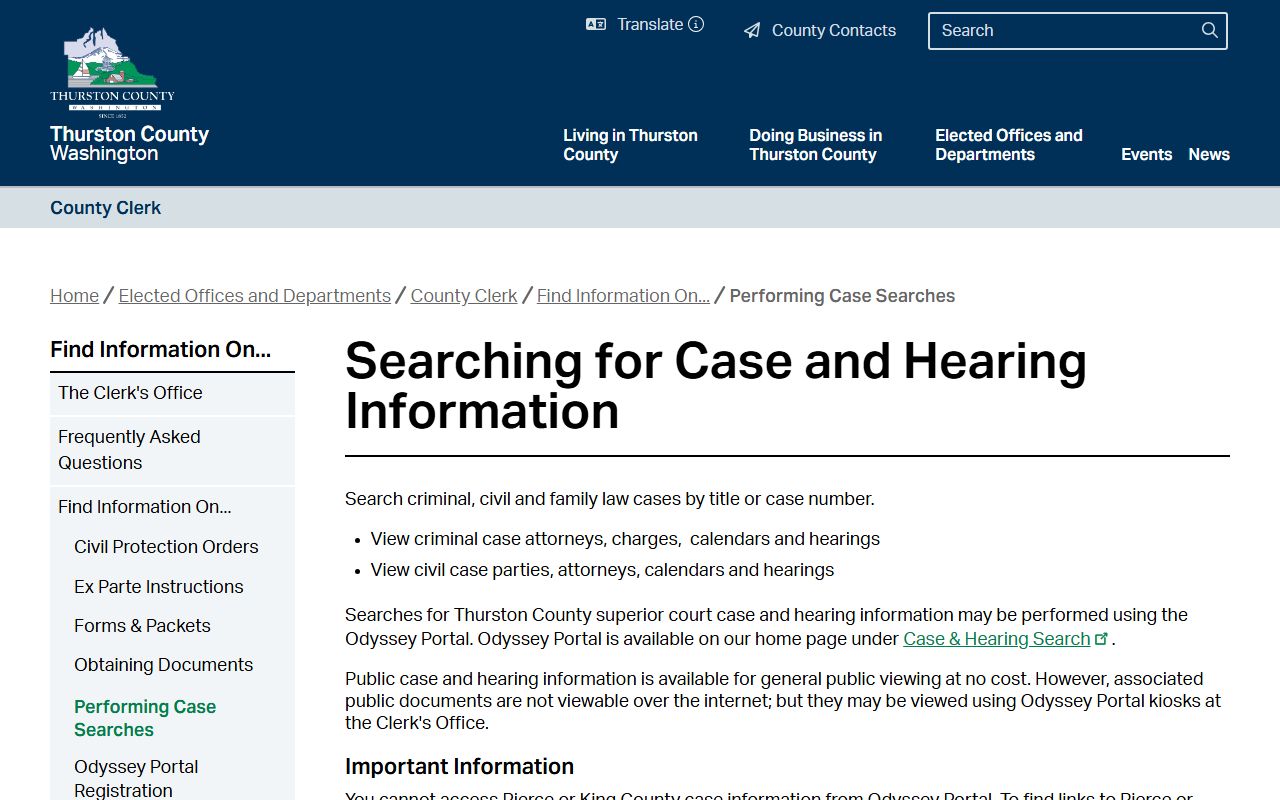
The same page stresses that public document access online is limited, which is the key fact to plan around before any Thurston County court records search.
Thurston County Court Records Search Fields
The Odyssey Portal opens with a Smart Search box plus buttons for Search Hearings, Judgment Search, Register, and Sign In. Party names should be typed exactly as they appear on the case, and a wildcard helps when a spelling is uncertain. Business names may have variants, so a full word, an abbreviation, or a wildcard can each return different results.
| Field Label | Type | Required | Notes / Format |
|---|---|---|---|
| Smart Search | Text | Primary | Case number, party name, or business name. |
| Party Name Search | Text | No | Enter exactly as on the case; wildcard allowed. |
| Business Name Search | Text | No | Must match the party name; wildcard example like Employment Security*. |
| Search Hearings | Date filter | No | Search hearings within a date range. |
| Judgment Search | Application link | No | Separate judgment search tool. |
| Register / Sign In | Account | No for case info | Required for elevated document access. |
Note: The statewide index updates about 24 hours after a clerk enters a case, so a brand-new filing may not appear right away.
Searching Thurston County District Court Records
District Court is a separate world from the Superior Court portal. The court says all open District Court records can be found through its WebLink system. To pull a file there, you need the case number and the law enforcement agency that wrote the citation or report. Without both, the lookup will not land on the right case.
If you do not have the case number, start somewhere else. A ticket, a court notice, or the statewide Person Search can give you the number first. From there, much of a District Court matter can be handled without a trip downtown. The court lets people review case documents, pay tickets, request deferrals, and even file written statements for contested hearings online. Complete records, though, should still be confirmed with the court rather than trusted from an index alone.
Note: District Court and Superior Court keep different systems, so a single search rarely covers both at once.
Searching the Washington Courts Index
The state runs a free index that reaches municipal, district, superior, and appellate courts. It offers Case Search, Person Search, Attorney Search, and Find My Court Date tabs. After you pick Case Search you choose a court level, then accept a disclaimer to continue. It is a search engine, not the full official file.
The state is blunt about its limits. Some case data may not show correctly, including dockets, judgments, or document links, and case status can be wrong. For complete and current records, the state points users back to the court of record or to Odyssey Portal. That is why a careful Thurston County court records search ends at the court, not the index.
The index reaches every court level, which is its strength. A name might appear in a District Court traffic case and a Superior Court civil case at once. Use the Person Search tab to scan litigants such as a defendant, petitioner, or respondent. Use Attorney Search to find district and municipal matters by bar number. Each result still points back to the court that holds the file, so treat the index as a map, not the destination. When a case looks relevant, open it in Odyssey or ask the Clerk for the full record.
Clerk Documents and Court Record Copies
When you need the actual documents, the Clerk sells them. Clerk Documents lets you register a free account, search by cause number, preview the document list, add files to a cart, and check out. Purchased electronic copies arrive by link after processing. Certified copies bought online include a certification page with steps to verify the file.
The Clerk Documents portal is shown here.
The Clerk Documents portal is where the public buys available Superior Court documents by cause number.
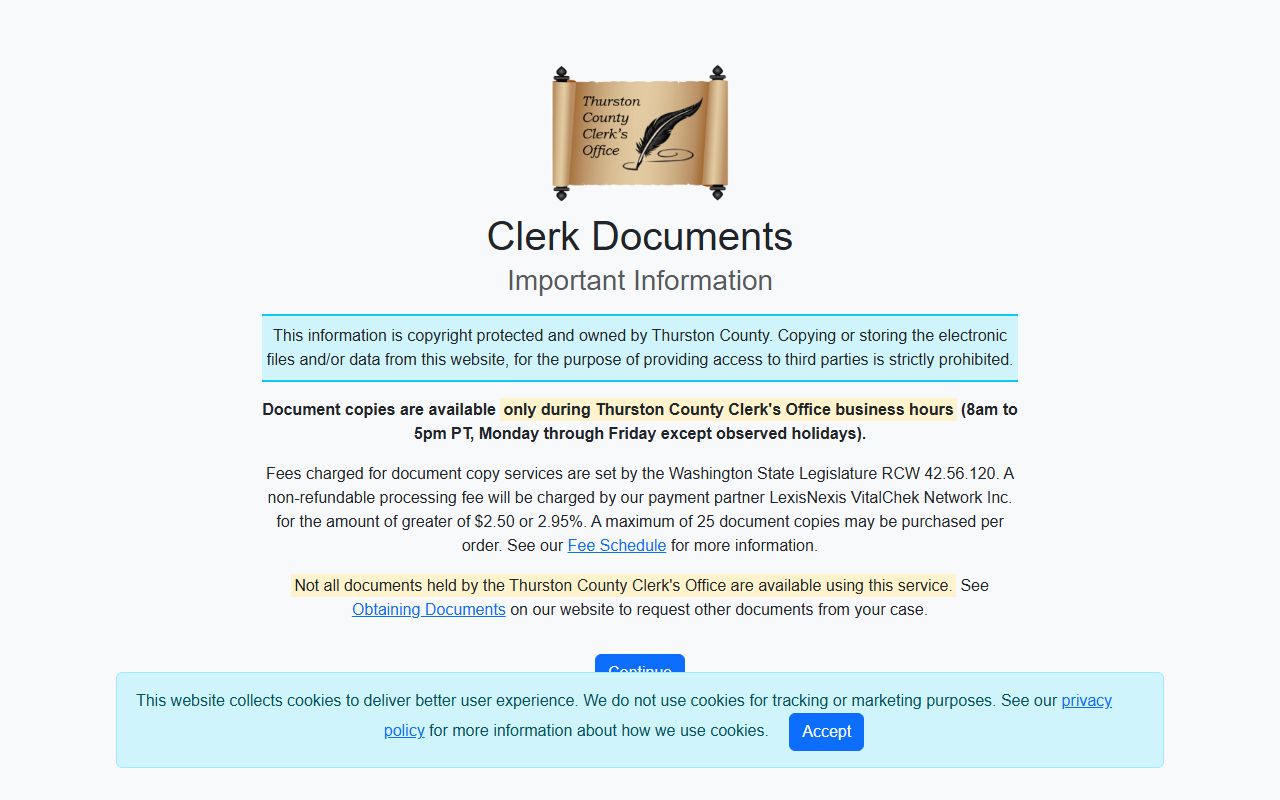
For documents not online, email tcclerk@co.thurston.wa.us with the case number, case name, and the documents you want. The Clerk replies with a page count, the cost, and a payment link.
| Copy Type | Fee |
|---|---|
| Non-certified hard copy | $0.50 per page |
| Non-certified electronic copy | $0.25 per page |
| Certified copy | $5.00 first page + $1.00 each added page |
Types of Thurston County Court Records
Court records here split by court and by subject. Superior Court holds the major files. District Court holds the smaller and the traffic files. Each kind has its own access rules, and some are closed by law.
The list below covers the main groups a search may turn up.
- Civil Superior Court records - complaints, motions, orders, judgments, and appeals.
- Criminal Superior Court records - felony charges, pleas, sentencing, and bail orders.
- Family law records - divorce, parenting plans, support, and modifications.
- District Court records - misdemeanors, infractions, small claims, and DUI cases.
- Probate and guardianship records - wills, estates, and letters, filed in Superior Court.
Juvenile, adoption, and dependency files are restricted and do not search like ordinary adult cases.
What Thurston County Court Records Show
A Washington case file centers on a cause number and a case title. Public case information in Odyssey shows the parties, the case type, attorneys, charges, and the calendar of hearings. Some financial data, sealed material, and protected identifiers stay out of public view. The inventory below maps the fields you can expect to see.
| Field | What It Shows |
|---|---|
| Cause Number | The case ID for searching and buying copies. |
| Case Title | The caption naming the parties. |
| Court / Case Type | Superior or District Court, and the category of case. |
| Parties | Plaintiff, defendant, petitioner, or respondent. |
| Attorneys | Counsel of record shown in public case info. |
| Charges / Claims | Criminal charge text or the civil cause. |
| Hearings / Calendar | Date, time, and courtroom for events. |
| Documents | Pleadings and orders, limited by role and confidentiality. |
Public Access Framework for Thurston County Court Records
Washington keeps two access tracks. Agency records follow the Public Records Act under RCW chapter 42.56, which sets a five-business-day response framework. Court case files follow court rules, mainly GR 31, which presumes open access to dockets, orders, judgments, and calendars. The two systems are not the same, and a court file is not requested the same way as a sheriff's report.
Open access is the default, but it has limits. Privacy, statutes, and court orders can close a file in whole or in part. A person who needs a closed record usually has to show legal authority or get a court order first.
Note: A court case search is not an official criminal history check; the Washington State Patrol keeps the state's criminal history record data.
Records That Are Sealed or Confidential in Thurston County
Some files never open to the public. Juvenile offender and dependency records carry sealing rules under RCW 13.50.260. Adoption files are confidential. Mental health and civil commitment records are restricted. Protected identifiers such as Social Security numbers, minor names, and some addresses are redacted. Records sealed under GR 15 are closed to public inspection.
To view or reopen a closed record, a person files a motion in the court that holds it and shows the rule or statute that allows access. Adult conviction relief is usually called vacation, not expungement, and felony or misdemeanor vacation each has its own statute and waiting period.
Attorney Subscription Access
Attorneys can get more than the public sees. Through a Clerk registration, an attorney of record may subscribe to view all case information and non-sealed documents in their own cases. The Clerk provides registration, modification, and confidentiality forms for this elevated access, which still stops at sealed material.
The Clerk's registration information page is shown here.
The Odyssey Portal registration page explains attorney subscription access to non-sealed case documents.
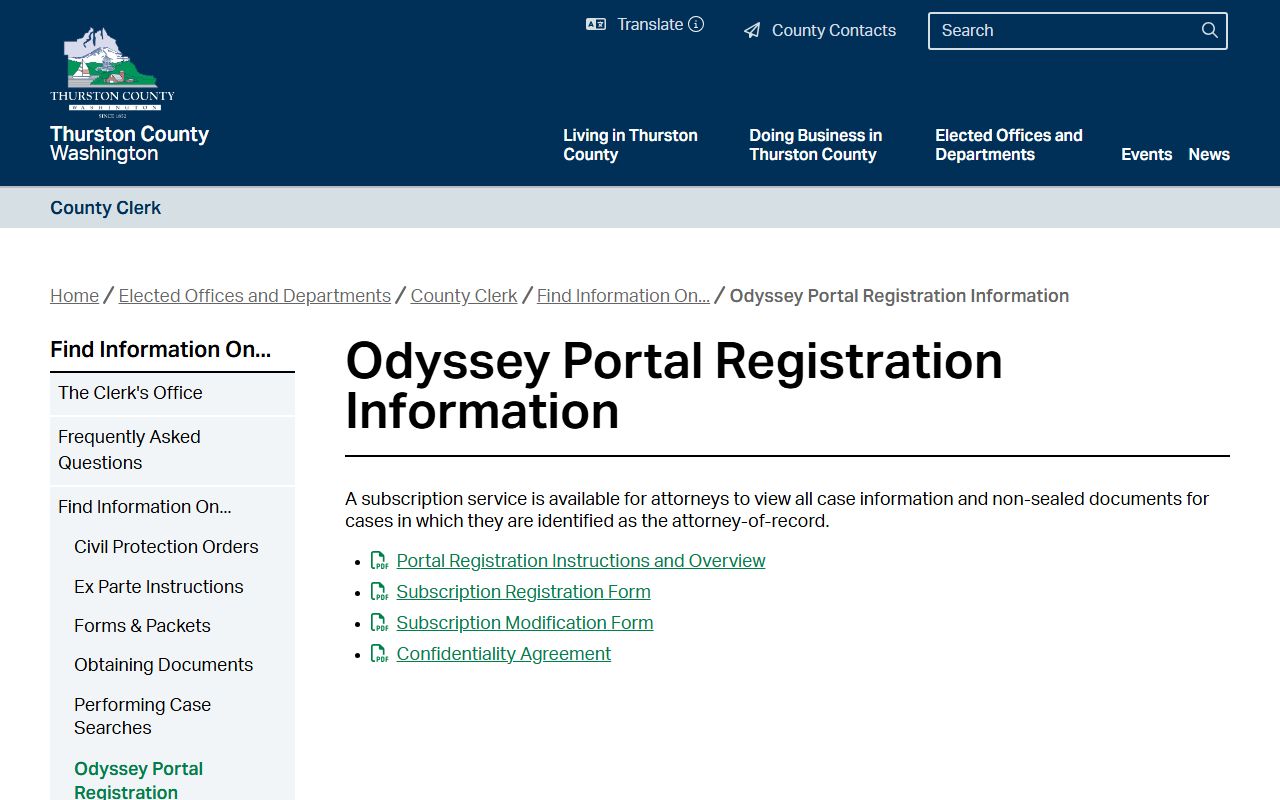
For most members of the public, though, the free public view plus a paid copy request covers what they need.